Package Security Features
Official Packages are curated, tested Crossplane extensions hardened for enterprise production security requirements. The Upbound Marketplace provides several features for platform and security engineering teams to view, configure, and interact with these security artifacts.
Package vulnerabilities
The Upbound Marketplace enables security teams to perform faster risk assessments without any image pulls or scans.
Vulnerability summaries
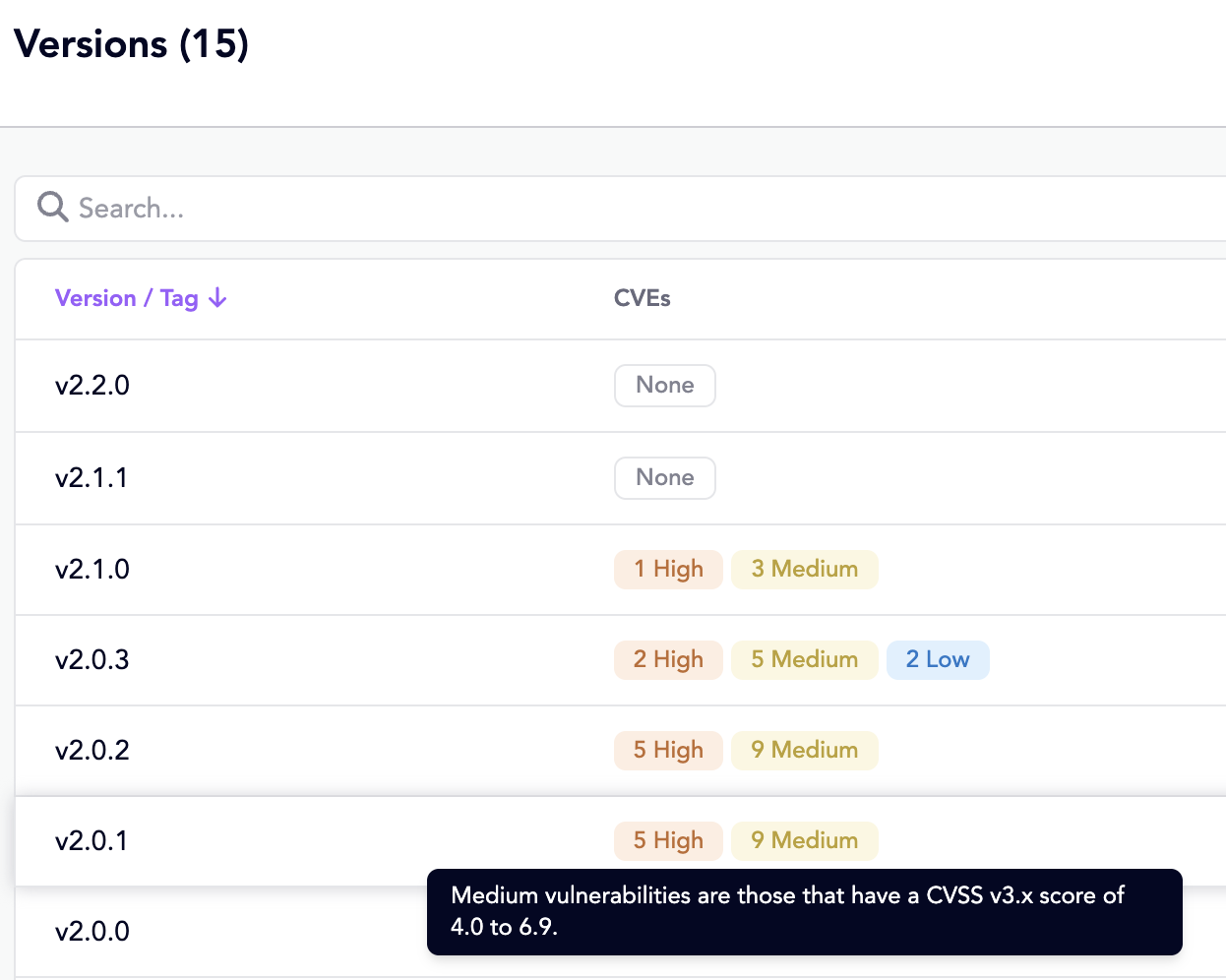
The version selector on an Official package listing displays a summary view of the most recent CVE counts by CVSS 3.0 severity class. This view provides an immediate visual indicator for spotting high-risk tags and choosing the best image for a deployment.
CVE details
Clicking a scanned version displays a Vulnerabilities tab and shows a table of the image's CVEs.
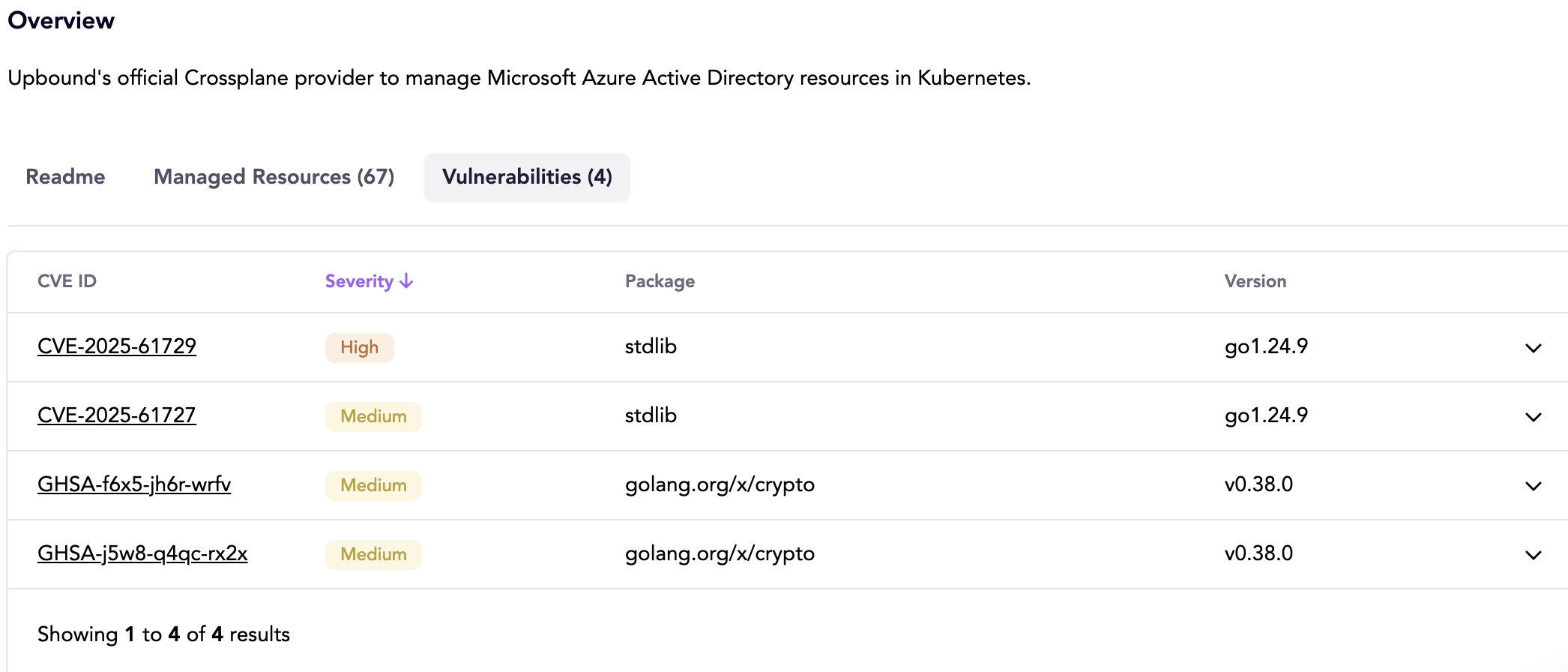
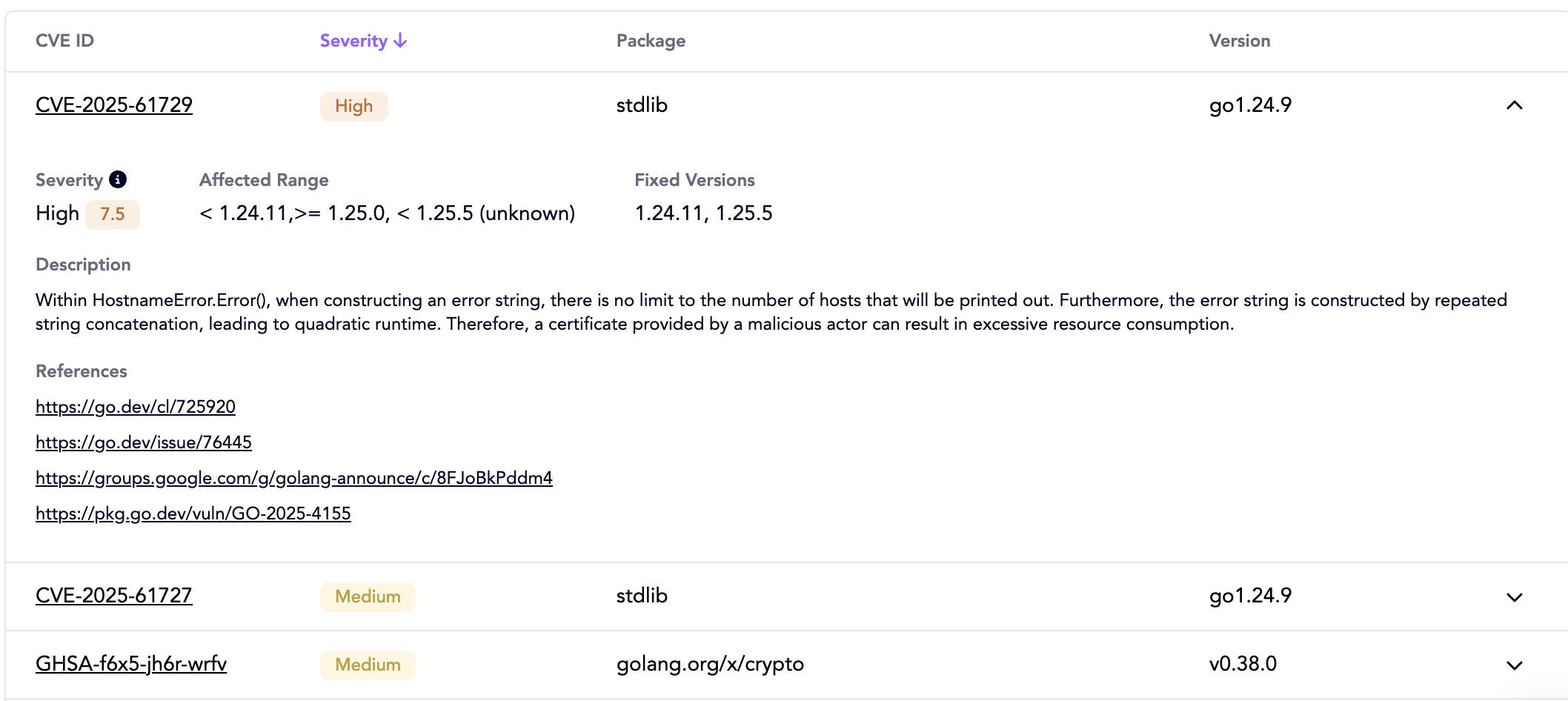
You can expand each CVE row to display details like:
- severity, affected package name and version range, and available fix versions
- links to official CVE references for multiple advisories
- detailed description of the vulnerability and potential exploits
- known exploits, if available
With these summary and detail views, users can make informed upgrade decisions and configure automation that use this data to gate or approve deployments.
Supply chain transparency
The Upbound Marketplace also exposes the key supply chain metadata you need to verify image integrity and traceability.
Provenance and SLSA attestations
The Upbound Marketplace surfaces [SLSA] provenance attestations for official
packages produced by Upbound's build workflows. These records document when, how, and by what process a
package was built using Sigstore tooling.
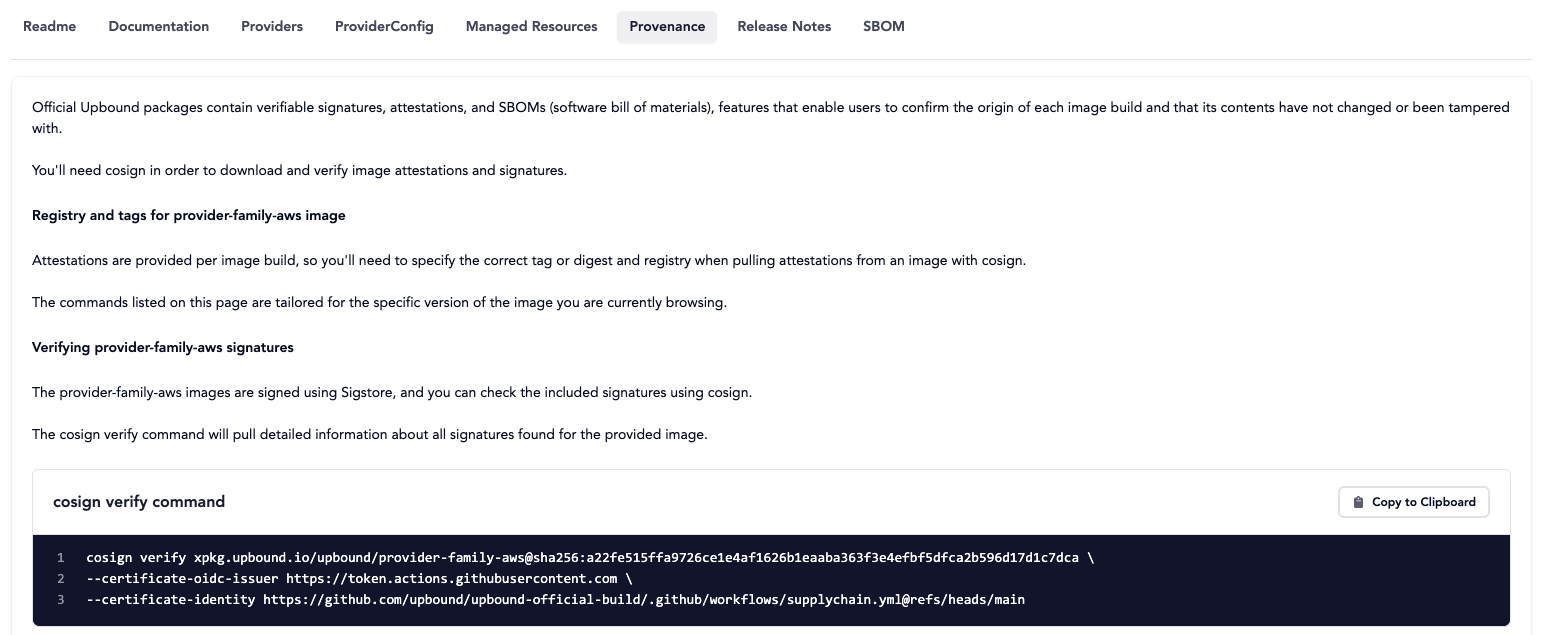
To independently verify signatures and provenance, users can download the
attestation and run the generated cosign commands in the Provenance tab of
an official package.
Cluster administrators can also configure Crossplane to verify signatures and attestations with an ImageConfig, rejecting pulls
of any image that fail verification. Learn more about configuring signature verification.
SBOM visibility
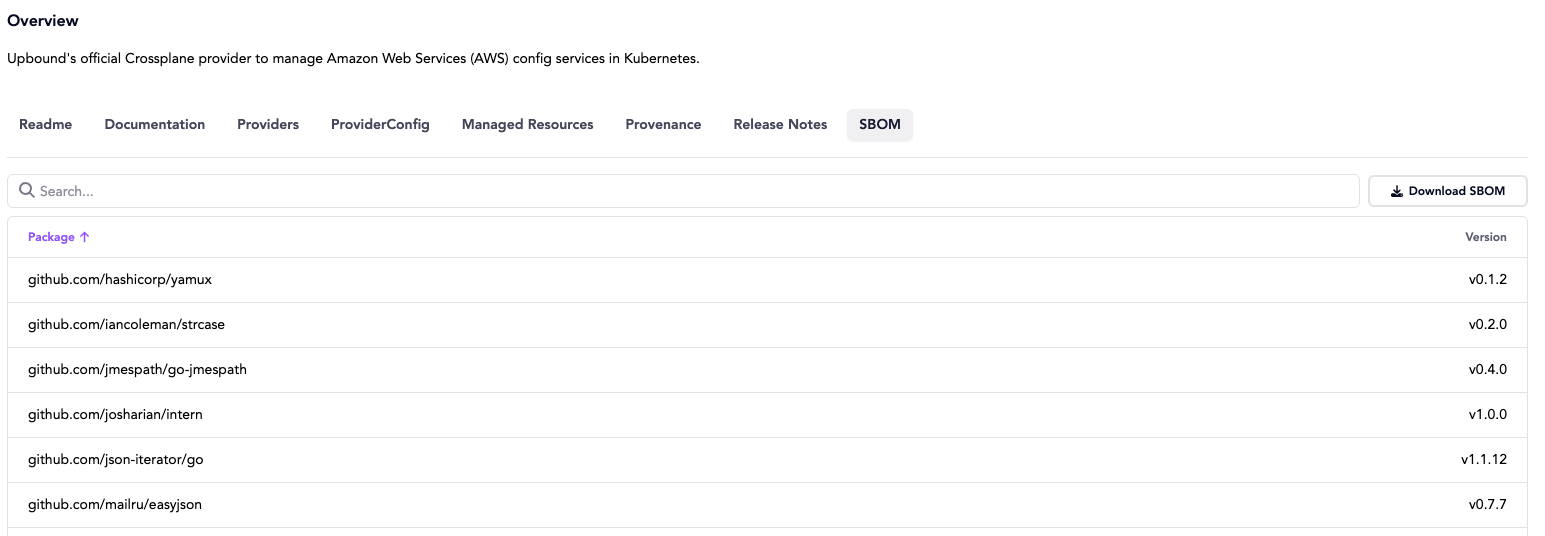
Each official package also includes a simplified, human-readable SBOM directly in the Marketplace, allowing you to browse and filter its included packages and dependencies.
For deeper inspection or automation, you can download the full SPDX-formatted SBOM and use it with external tools.
FAQ
How often are Official images scanned?
Official images are scanned twice a week with updated vulnerability databases. Minor versions first published within the last 6 months are eligible.
Why aren't all images scanned?
Currently, image vulnerabiltiy scans are only conducted on Official packages. The Upbound Marketplace does not have full visibility into the build processes of all images it receives, which can negatively impact the accuracy and precision of a scan artifact.
My personal scanner shows a discrepancy with the Marketplace. What is the scope of a vulnerability scan?
The data displayed in the Marketplace focuses on package-level vulnerabiltiies by analyizing the contents of the final image filesystem. This would exclude detection of issues in a Dockerfile or build instructions such as running as root or privilege escalation vectors.
Vulnerability matches against specific filesystem paths may also be filtered from the view. Currently, the Terraform binary used
in provider-terraform does not have its matches shown in the Marketplace, as the provider must pin to a 1.5.x version indefinitely
due to licensing restrictions.
How do I know that the vulnerability scan or SBOM were produced by Upbound?
The vulnerability report and SBOM are embedded as signed attestations, meaning the build system signs a statement describing these artifacts and their relation to the package. This signature provides cryptographic assurance that the attestations were produced by Upbound's build pipeline and have not been tampered with in transit.