Definitions
Definitions is a fleet-wide index of the API types your connected control planes serve. Hub correlates each type by API group and kind, so one row represents the same type wherever it appears.
The AggregatedTypes gate serves this view and Packages. It
defaults to on. See Feature
flags to turn it off.
Every type reaches Hub from one of three sources on a control plane: a
CustomResourceDefinition, a Crossplane CompositeResourceDefinition, or a
Crossplane ManagedResourceDefinition. Hub tracks the source each control plane
uses and labels the row CRD, XRD, or MRD to match.
Where the Resources view lists the live objects in your fleet, Definitions lists the APIs those objects are instances of.
Opening the view
Open the navigation menu from the header, then choose Definitions under
Insights. The tab strip on the Resources page, the quick access list on the
home page, and the command palette all reach the same view, which lives at
/explore/definitions.
Both the menu entry and the tab appear only when the API is available. When the gate is off, Hub hides them and redirects the page to Resources.
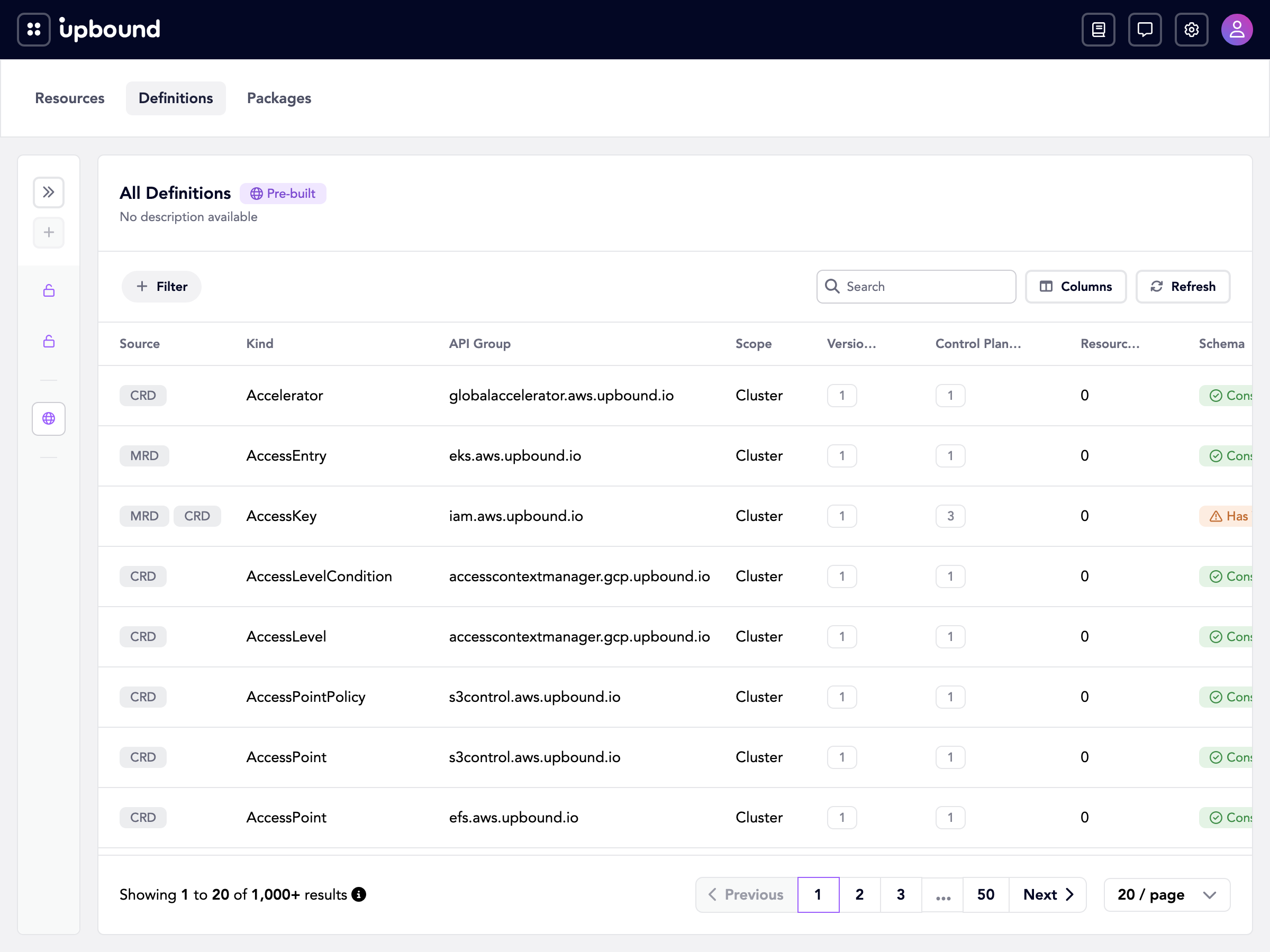
The definitions list
Each row is one correlated type. The table shows:
- Source.
XRD,CRD, orMRDbadges for how control planes define this type. A type can carry more than one badge when control planes disagree. - Kind and API Group. The type's identity, such as
RDSInstanceinrds.aws.upbound.io. - Scope.
ClusterorNamespaced. - Versions. How many distinct API versions the fleet serves for this type.
- Control Planes. How many control planes offer the type.
- Resources. How many live resources of this type exist across the fleet. Select the count to open Resources filtered to that group and kind.
- Schema.
Consistentwhen every version has one schema fleet-wide, orHas Variantswhen at least one version has more than one.
Select a column header to sort.
Filtering the list
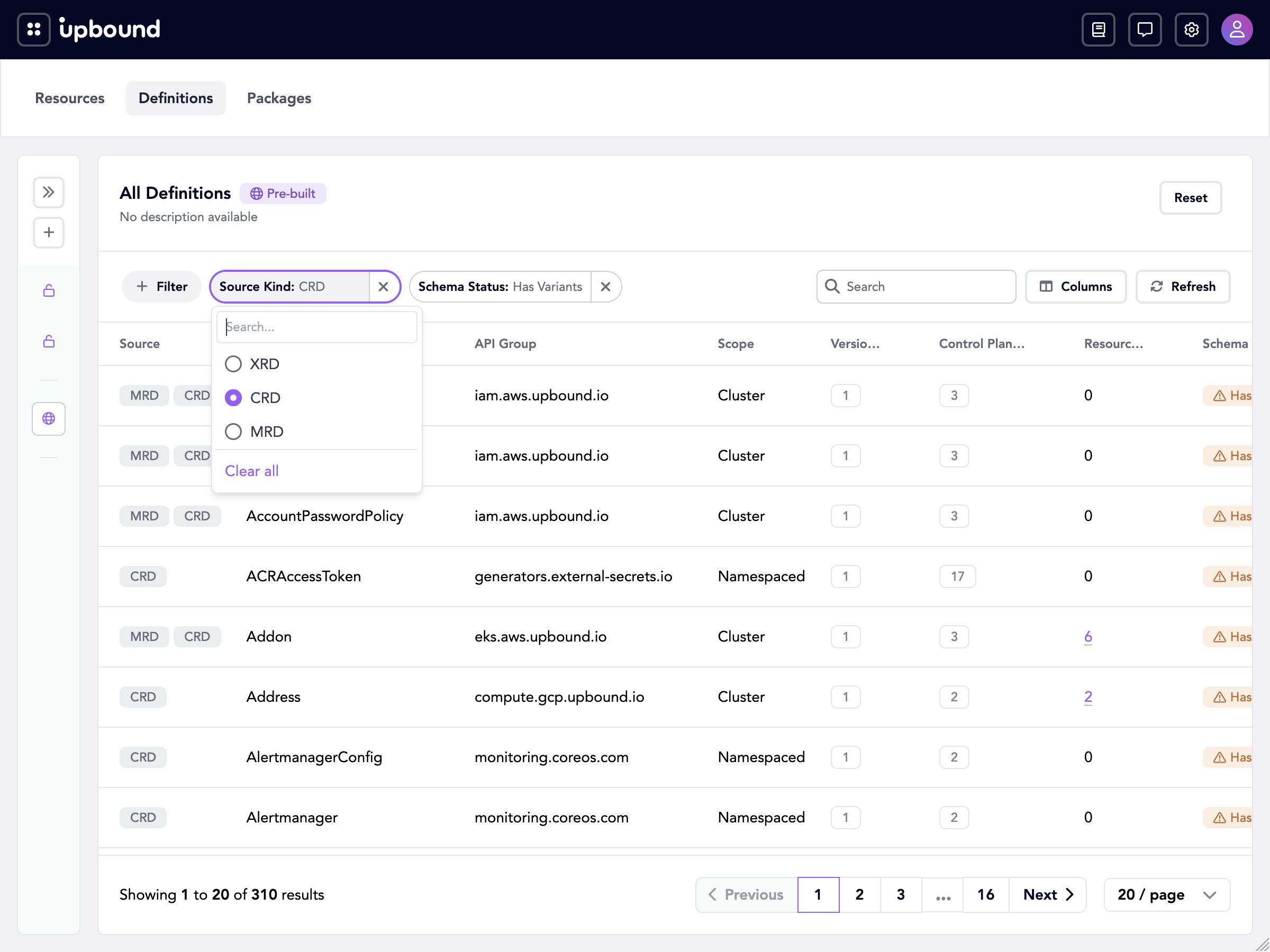
A filter bar sits above the table. Choose Filter to see the filters this table offers, then pick one to add it to the bar:
- Source Kind. One of
XRD,CRD, orMRD. - Control Plane. One or more control planes.
- Schema Status. Either
ConsistentorHas Variants. - Deprecation Status. Either
ConsistentorHas Mismatches.
Each filter you add becomes a pill on the bar, labeled with its name and the current selection. Selecting a pill opens its value list, where Source Kind, Schema Status, and Deprecation Status take a single value and Control Plane takes several. Long lists have a search box. Remove one filter with the × on its pill, or clear every filter with Clear All.
Filters combine, so a bar holding Source Kind and Schema Status narrows to rows matching both. To filter from the table instead, right-click a cell and choose Filter by this value.
Finding schema drift
Two control planes can serve the same kind and version with different schemas.
Hub calls each distinct schema a variant and flags the type as
Has Variants.
Hub also compares deprecation state. When one control plane marks a version deprecated and another doesn't, the row carries a warning badge for the mismatch.
Hub scopes both signals within a version. A type with v1beta1 and v1 stays
consistent as long as each of those versions has one schema everywhere.
Definition details
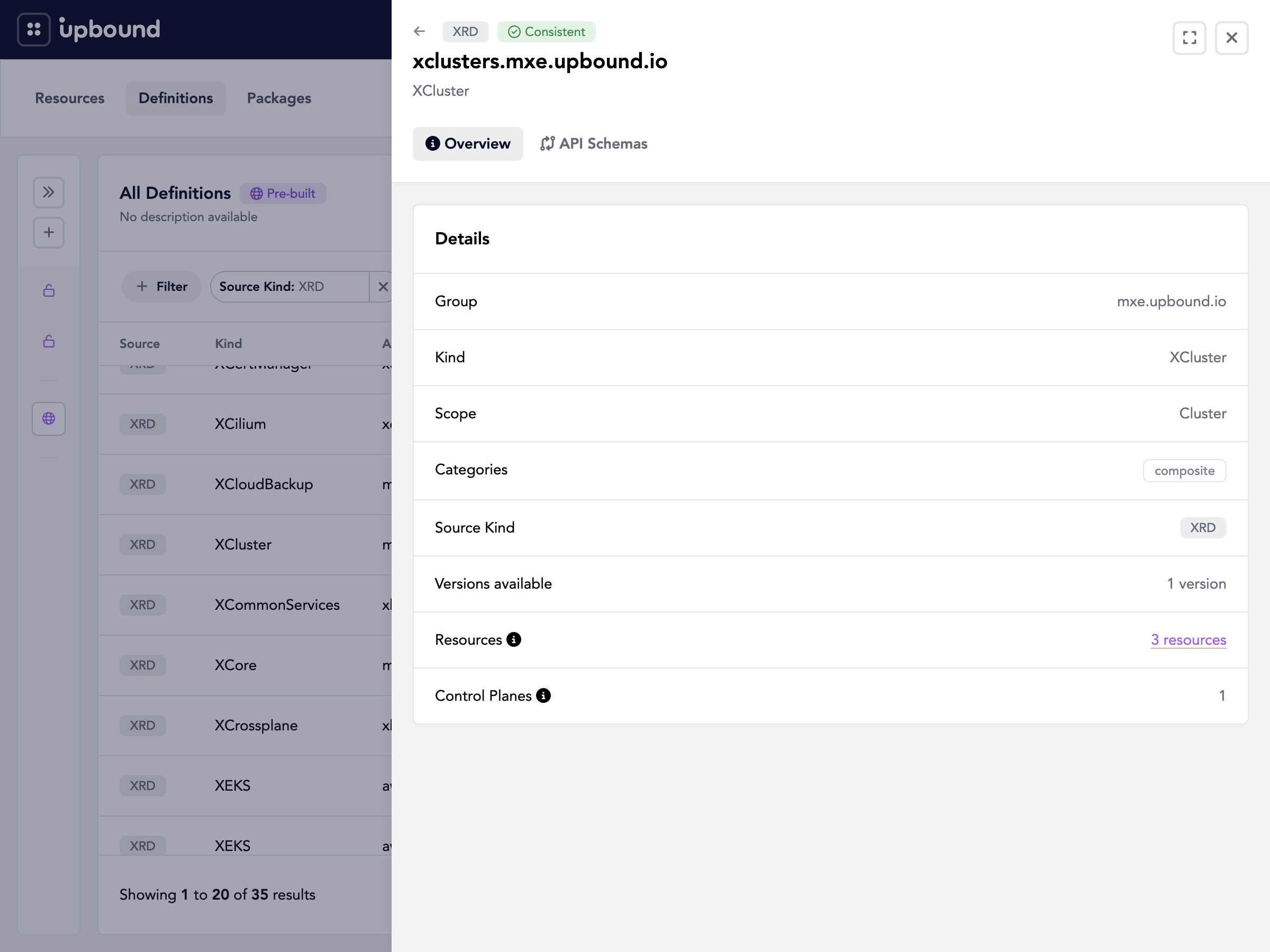
Select a row to open a detail drawer with two tabs.
Type details
The Overview tab shows the API group, kind, scope, Crossplane categories, source kind, the number of versions available, the live resource count, and the number of control planes offering the type. The resource count links into Resources, narrowed to that type.
API schemas
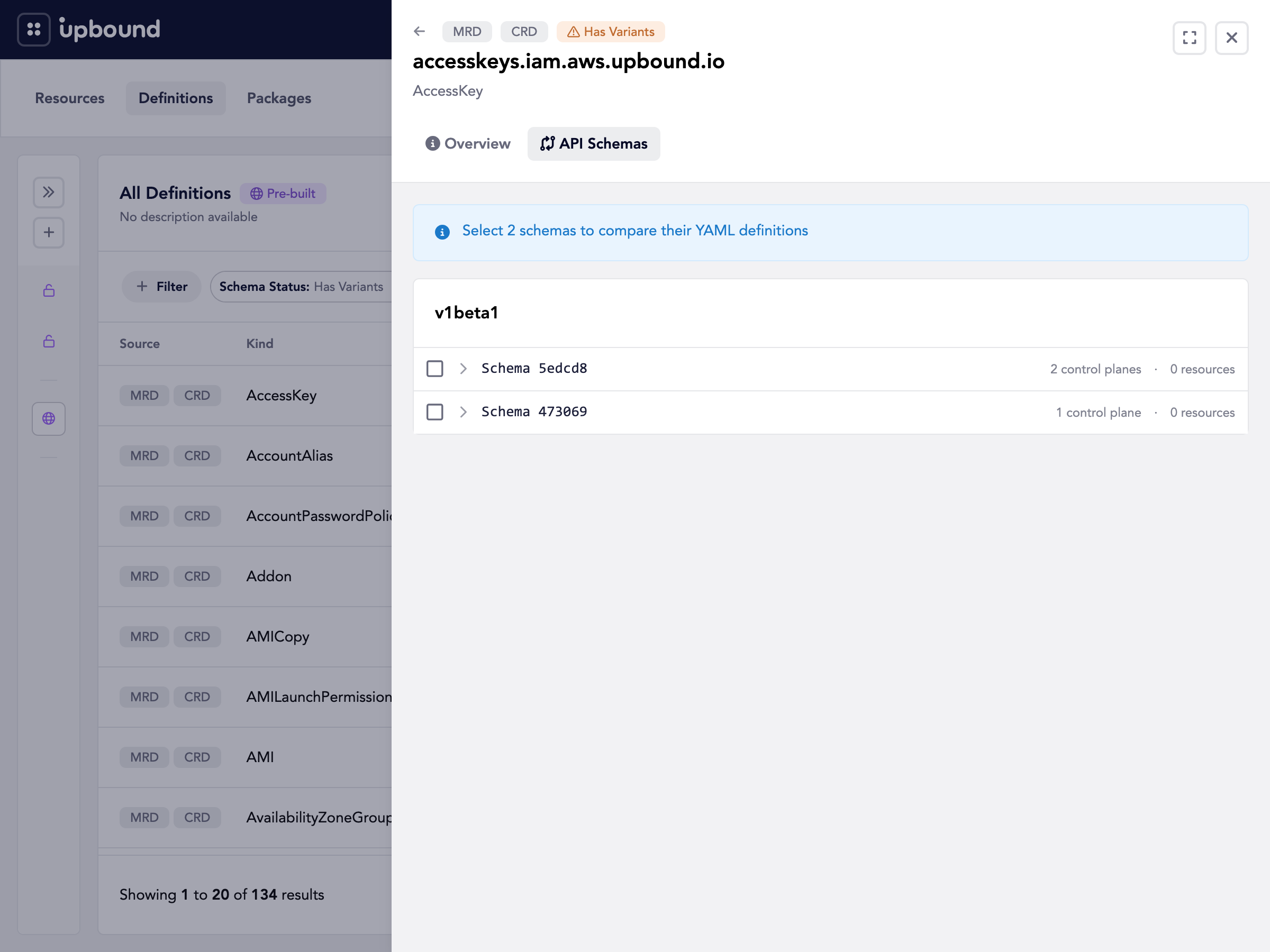
The API Schemas tab groups schemas by version. Each version lists its variants, identified by a short schema hash, along with how many control planes serve that variant and how many resources depend on it.
Expand a variant to switch between two panels:
- Control planes. The control planes serving that variant, with their realm, whether each one serves the version, whether it stores resources in that version, and its deprecation state.
- Schema. The schema for that version, rendered as YAML.
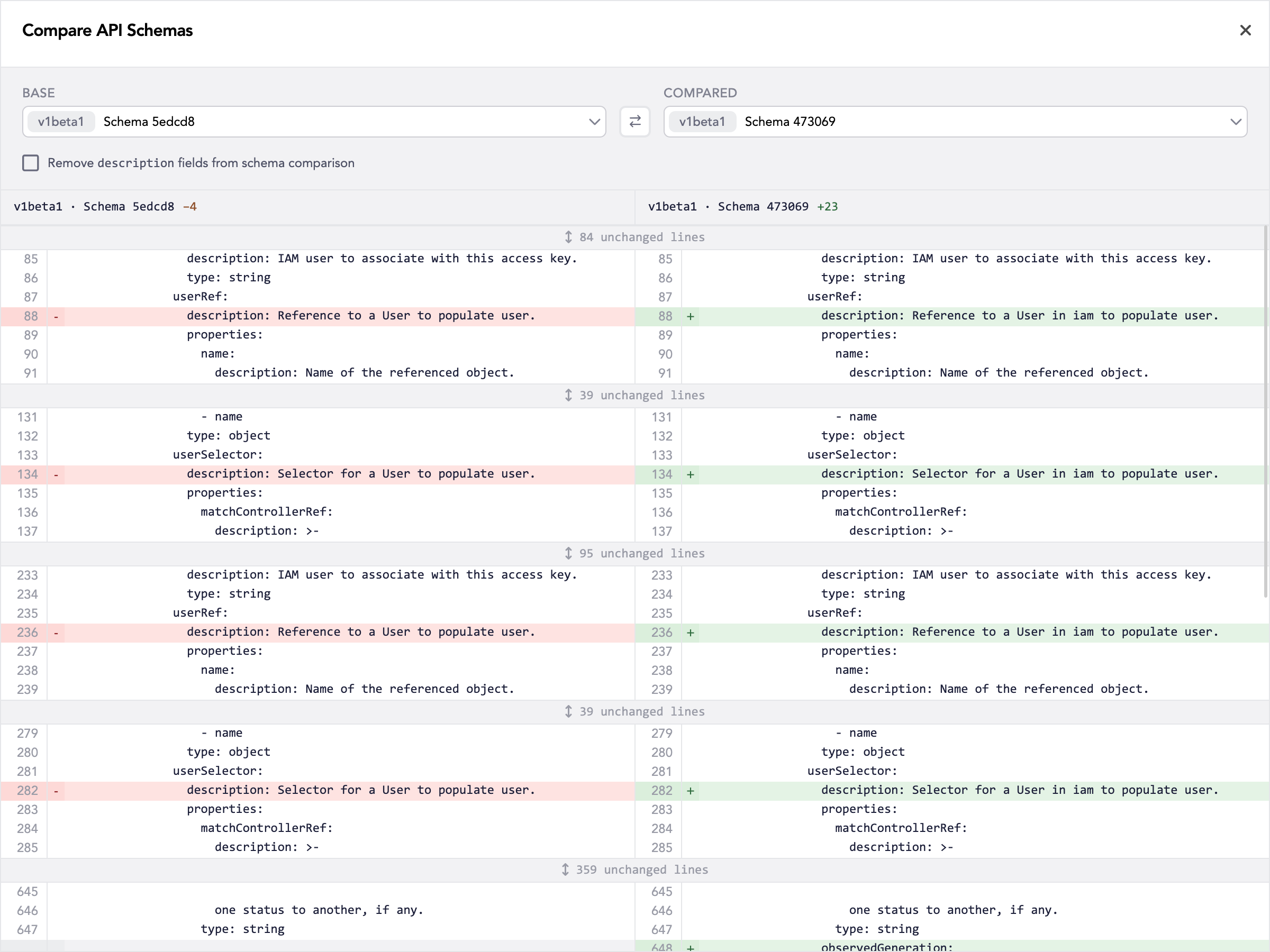
Select two variants, then choose Compare to see the two schemas side by side.
Access and counts
Counts reflect your access. Hub aggregates a type across the whole organization, but the control plane and resource counts, and the rows on the distribution detail, only include control planes in realms you can reach.
Unless you have access to every control plane in the organization, the counts are partial. A type that looks consistent to you may have variants on control planes you can't view. See Access management.
Common tasks
- Inventory every API your platform exposes, from one place, without listing CRDs on each control plane.
- Catch schema drift before it breaks a consumer, by finding types that report variants.
- Plan a version migration by finding which control planes still serve a deprecated version.
- Judge blast radius before changing an XRD, using the live resource count for the type.
Querying the API
The Console reads two resources in the inventory.hub.upbound.io/v1beta1 API group:
typedefinitions. Lists and gets correlated types. Filter a list bysourceKind,hasSchemaVariants,hasDeprecationMismatch, andcontrolPlane.- The
distributionsubresource. Per-version detail for one type: its variants, deprecation state, and the control planes serving each variant.
See also
Features
Reference