Insights
Insights is the resource aggregation layer in Hub. Every connected control plane
syncs its resources into hub-core, which serves them through a single API and
the Console. You see and search your whole estate from one place instead of
opening a session on each control plane.
Insights is new in Hub v3 and reached general availability, so no feature flag gates it. It's included with Hub at no extra cost in this release.
The AggregatedTypes gate covers only the fleet-wide type resources that back
Definitions and Packages. It defaults to on.
See Feature flags.
What Insights gives you
A control plane reports its resources to hub-core after you connect
it. Insights stores those records and tracks the relationships
between them. It answers queries across every realm the caller has access to.
Each record keeps the resource's own identity in source, where it lives in
location, and the aggregation metadata in hub:
{
  "kind": "Resource",
  "apiVersion": "inventory.hub.upbound.io/v1beta1",
  "metadata": {
    "name": "default.default.78ae25889aa96e82"
  },
  "source": {
    "apiVersion": "v1",
    "kind": "Endpoints",
    "name": "kubernetes",
    "namespace": "default"
  },
  "location": {
    "controlPlane": "default",
    "realm": "default"
  },
  "hub": {
    "lastSyncTime": "2026-07-29T15:31:36Z",
    "syncLagSeconds": 0,
    "relationships": {
      "composesCount": 0,
      "referencesCount": 0,
      "referencedByCount": 0
    }
  },
  "status": {}
}
syncLagSeconds tells you how stale a record is. Insights serves an aggregated
view rather than a live read from the control plane. A resource that changed a
moment ago can still show its earlier state.
The API
Insights serves these resources under the inventory.hub.upbound.io group:
| Resource | What it returns |
|---|---|
resources | Lists and gets aggregated resources across control planes. |
resources/events | The Kubernetes events recorded for one resource. |
resourcestats | Counts for a query, grouped by Ready, Synced, and Healthy. |
resourcerelationships | The resources one resource composes, the ones it references, and the ones that reference it. |
resourcerelationshiptrees | The full composition tree below one resource. |
lenses | Saved filters, described in Lenses. |
v1beta1 is the only version inventory.hub.upbound.io serves.
The hub.upbound.io addresses these resources used before this release still
serve, marked deprecated in discovery:
| Version | Filtering |
|---|---|
hub.upbound.io/v1beta1 | Accepts filter. |
hub.upbound.io/v1alpha2 | Accepts filter. Only resources and resources/events. |
hub.upbound.io/v1alpha1 | Ignores filter and returns the unfiltered list. |
Search and filter a list
search matches resource names and filter takes a CEL expression. Both go on
the list endpoint:
curl -sG "$HUB_URL/apis/inventory.hub.upbound.io/v1beta1/resources" \
  --data-urlencode 'filter=kind == "Pod"' \
  --data-urlencode 'pageSize=25' \
  -H "Authorization: Bearer $TOKEN"
CEL expressions reference the resource's fields as bare identifiers, such as
kind or namespace. An invalid expression returns the CEL parse error rather
than an empty list, so read the message field when a query returns nothing.
Every list response reports the match count and the page it returned:
{
  "kind": "ResourceList",
  "apiVersion": "inventory.hub.upbound.io/v1beta1",
  "metadata": {
    "total": { "count": 24, "relation": "eq" },
    "page": 1,
    "pageSize": 10
  }
}
Page through results with page and pageSize.
Count without listing
resourcestats returns the summary the Console dashboard renders. Post an empty
spec to count everything the caller can see:
curl -s -X POST "$HUB_URL/apis/inventory.hub.upbound.io/v1beta1/resourcestats" \
  -H "Authorization: Bearer $TOKEN" \
  -H "Content-Type: application/json" \
  -d '{"apiVersion":"inventory.hub.upbound.io/v1beta1","kind":"ResourceStats","spec":{}}'
{
  "results": {
    "summary": {
      "totalCount": 614,
      "readyTrue": 27,
      "readyFalse": 0,
      "readyUnknown": 587,
      "syncedTrue": 2,
      "syncedFalse": 0,
      "syncedUnknown": 612,
      "healthyTrue": 4,
      "healthyFalse": 0,
      "healthyUnknown": 610
    }
  }
}
Console views
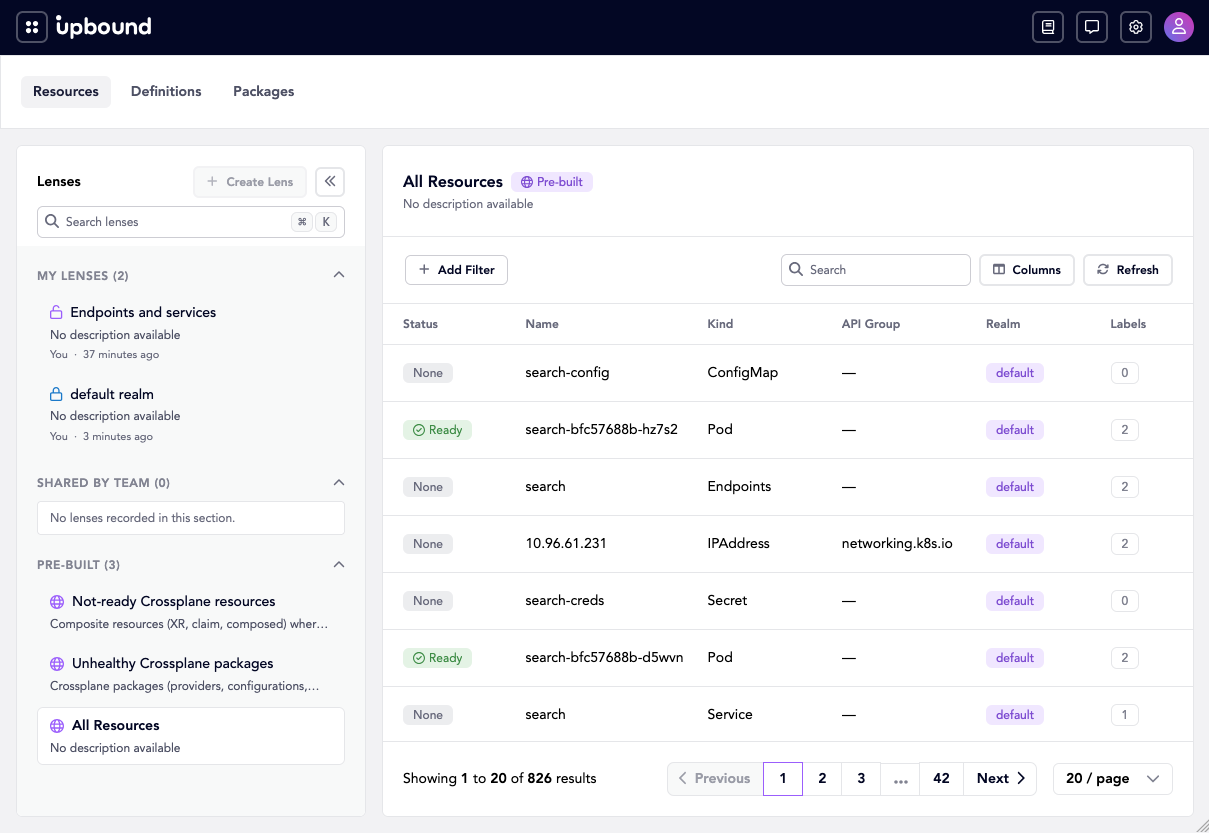
Insights backs four pages:
| Page | What it shows |
|---|---|
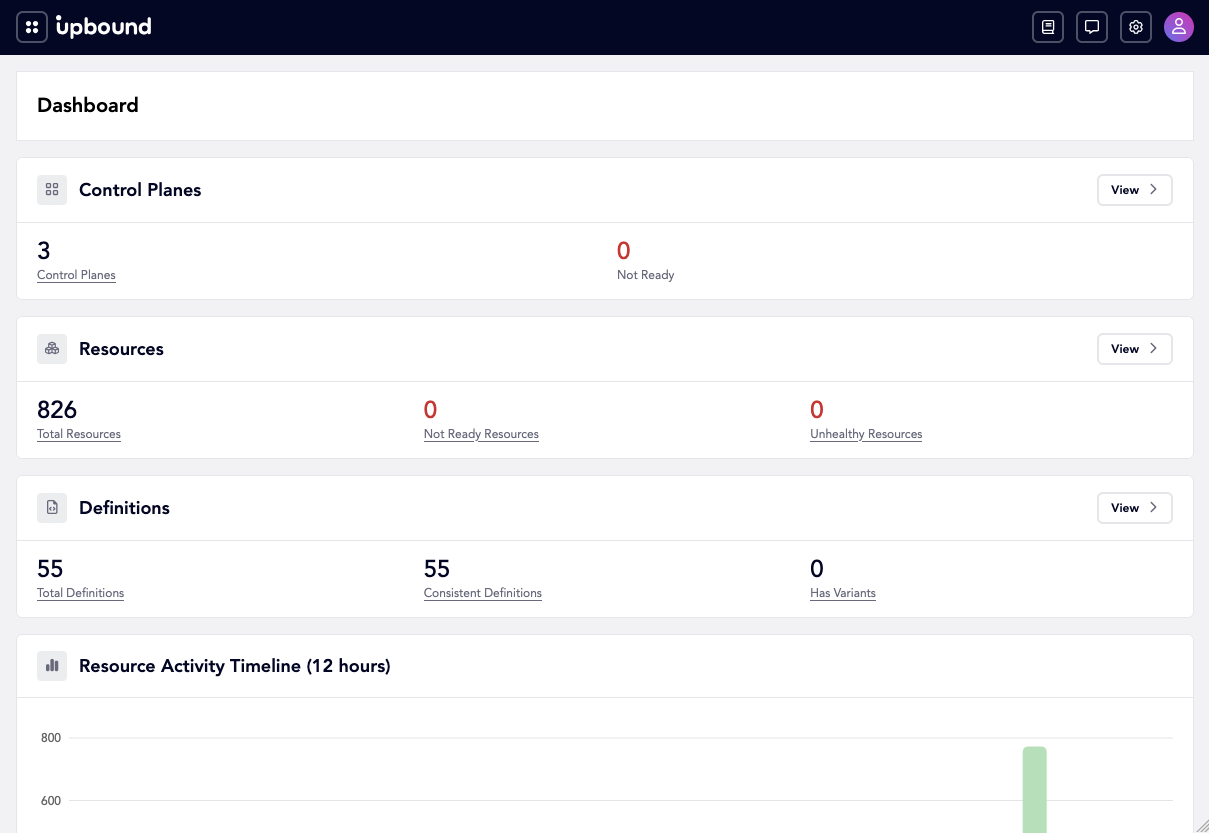
/dashboard | The resourcestats summary for your estate. |
/explore/resources | The aggregated resource list, with search, filters, and lenses. |
/explore/definitions | The API types your control planes serve, correlated fleet-wide. See Definitions. |
/explore/packages | The Crossplane packages your control planes declare, correlated fleet-wide. See Packages. |
The dashboard reports the resourcestats summary alongside control plane and
definition counts:
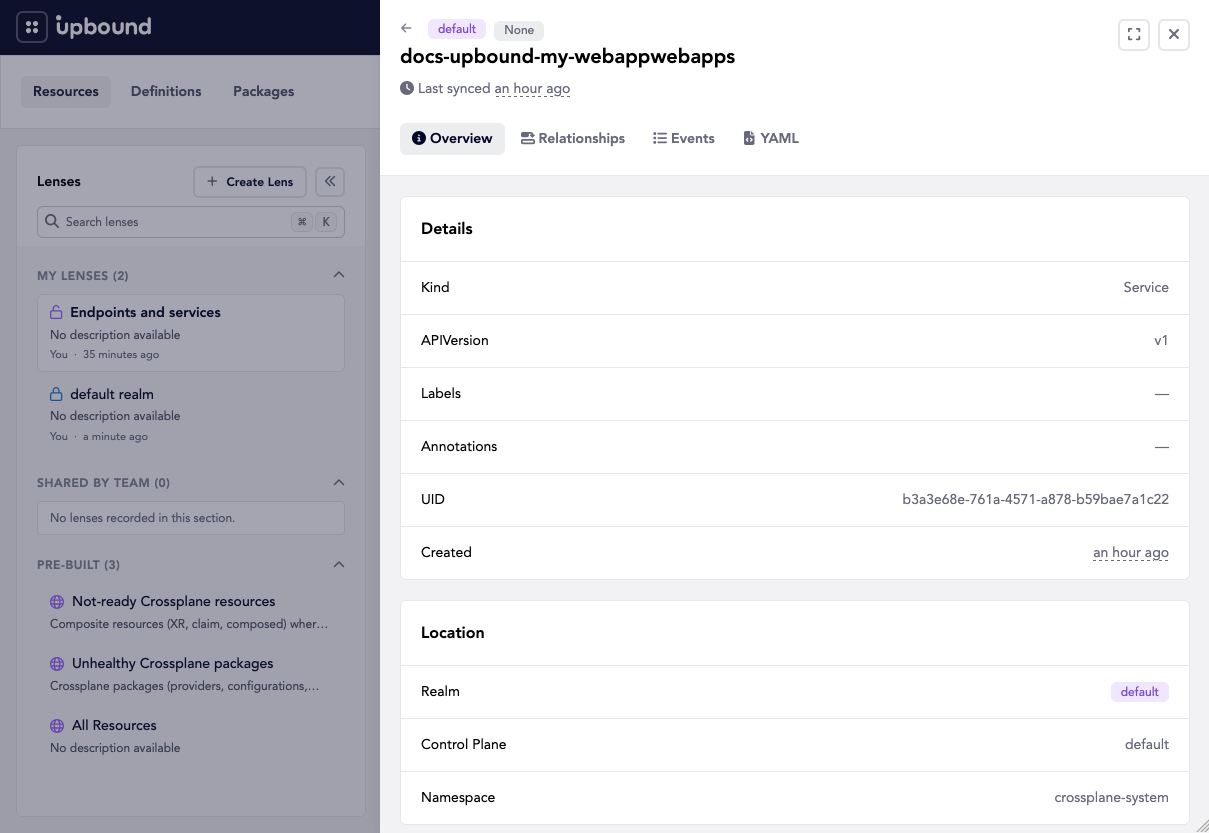
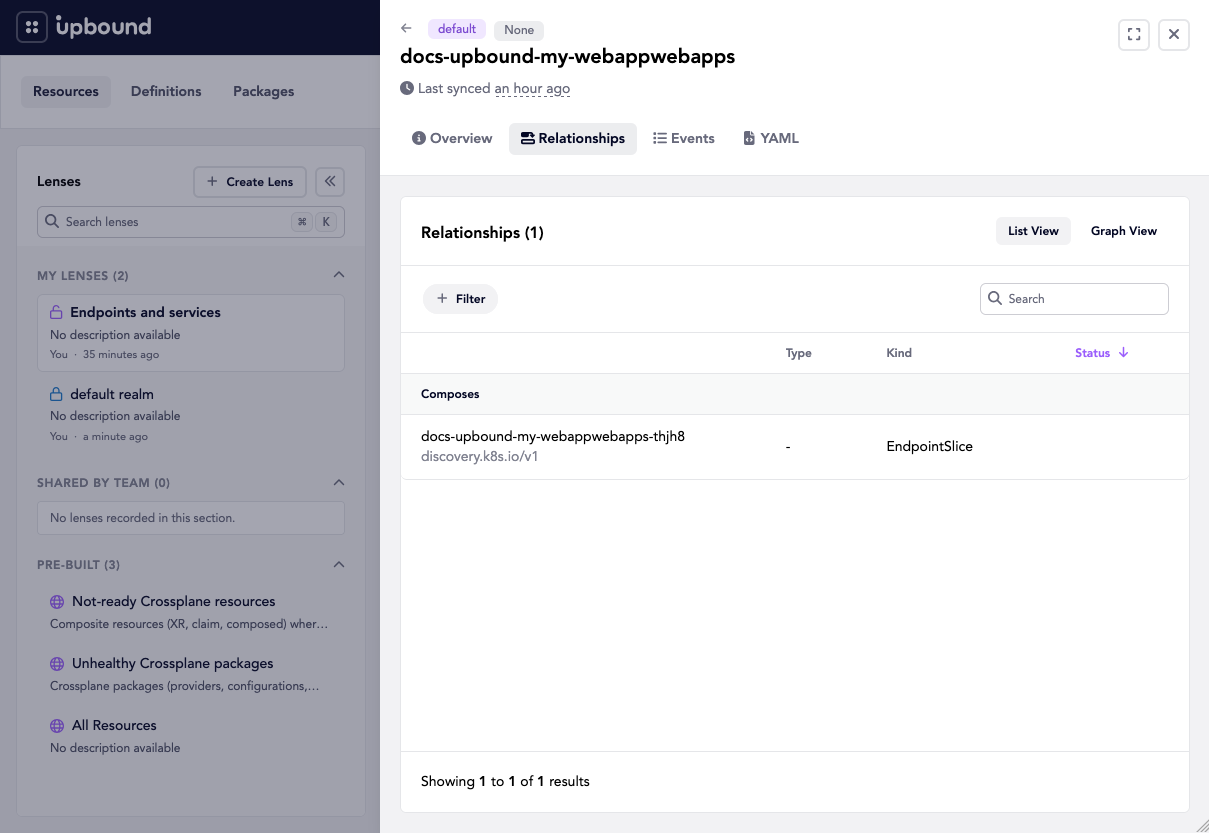
Selecting a resource opens a detail drawer. Its tabs show the resource's own
fields and Hub's location metadata, the relationships Insights tracked, and
the full object:
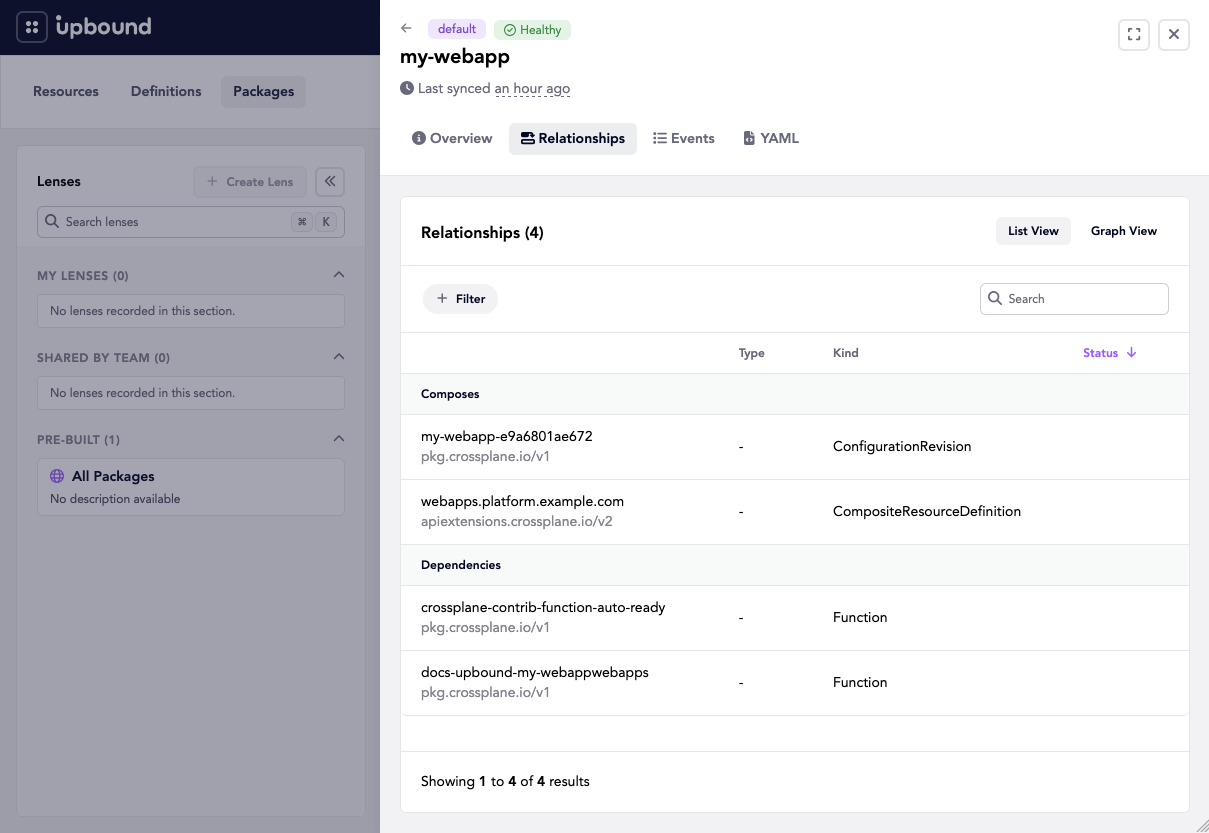
The packages view resolves a package's own relationships, including what it composes and the functions it depends on:
Two of these read separate fleet-wide APIs. /explore/definitions and
/explore/packages come from the typedefinitions and crossplanepackages
resources that the alpha AggregatedTypes feature flag serves.
That gate defaults to true, so both pages work on a default install.
Definitions and Packages cover what each view
shows. Enabling Catalog adds a destination alongside
/explore/packages rather than replacing it.
Lenses
A lens is a saved filter over a list view. You create one with a display name, a description, the API it targets, and the fields to match, then apply it in the Console instead of rebuilding the query.
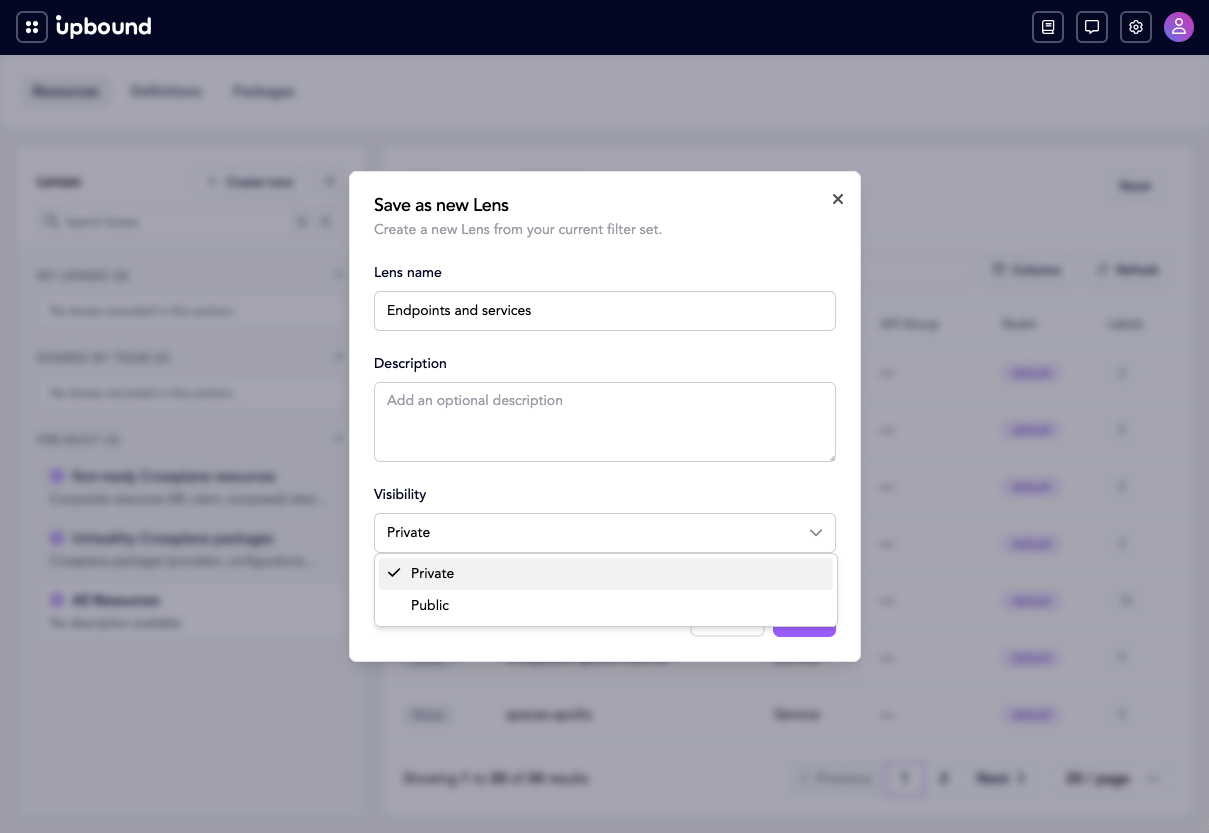
In the Console, build up a filter on the resource list and save it. A private lens belongs to you. A public one is available to your organization:
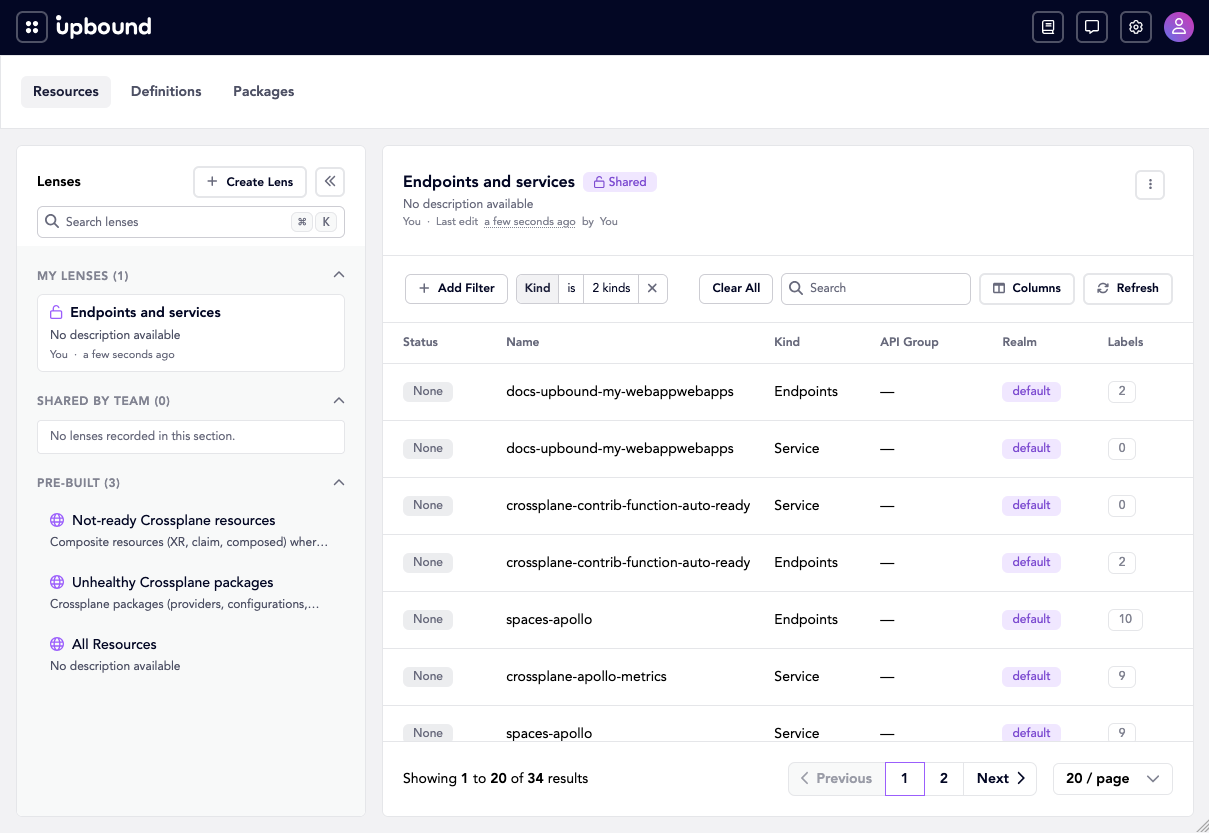
The saved lens then appears in the sidebar and reapplies its filter when selected:
Hub includes two lenses. crossplane-not-ready finds composite resources whose
Ready condition is false, and packages-unhealthy finds unhealthy Crossplane
packages. Both carry the hub.upbound.io/source: upbound annotation:
apiVersion: inventory.hub.upbound.io/v1beta1
kind: Lens
metadata:
  name: crossplane-not-ready
  annotations:
    hub.upbound.io/shared: "true"
    hub.upbound.io/source: upbound
spec:
  displayName: Not-ready Crossplane resources
  description: Composite resources (XR, claim, composed) where Ready is false.
  target:
    kind: Resource
    apiVersion: inventory.hub.upbound.io/v1beta1
  filter:
    fields:
      - field: type
        values:
          - XR
          - Claim
          - Composed
      - field: status
        values:
          - Ready:False
Set hub.upbound.io/shared: "true" to make a lens available to everyone in the
organization. Without it, the lens belongs to the user who created it.
What callers can see
Insights filters every response by the caller's access. A user sees resources in the realms they hold permissions for, so two users running the same query get different counts. See RBAC for how realm permissions map to roles.
Typical tasks
- Find every resource in a failing state across the fleet, without opening a session on each control plane.
- Trace what a composite resource composes, through
resourcerelationshiptrees. - Report on estate size and health from
resourcestatsinstead of counting per control plane. - Give a team a starting view of the resources they own, as a shared lens.
Related resources
How-to guides
Linked concepts
Reference